Moderators can not only create session collateral, but also export it as well. This article will walk you through how to do this.
- Open the admin portal of your Zerista website and open Settings>Scripts.
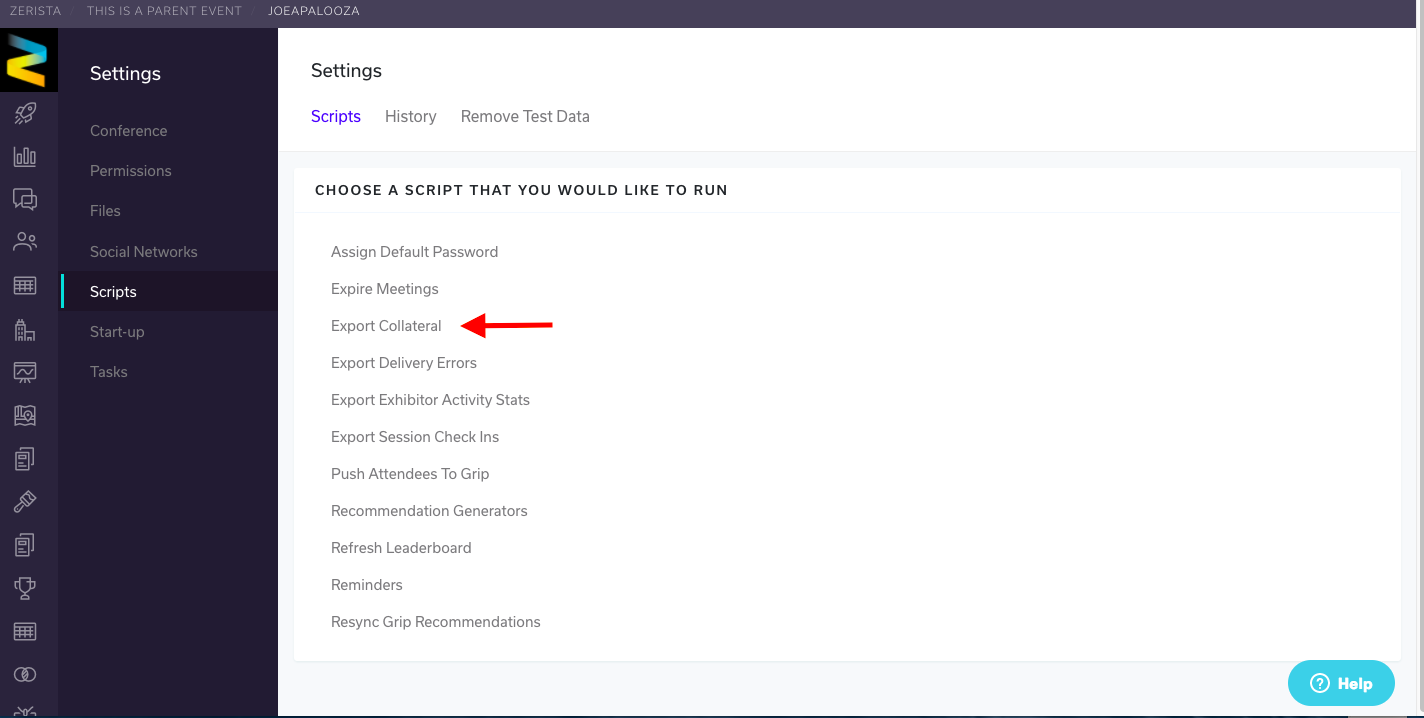
- Select Export Collateral.
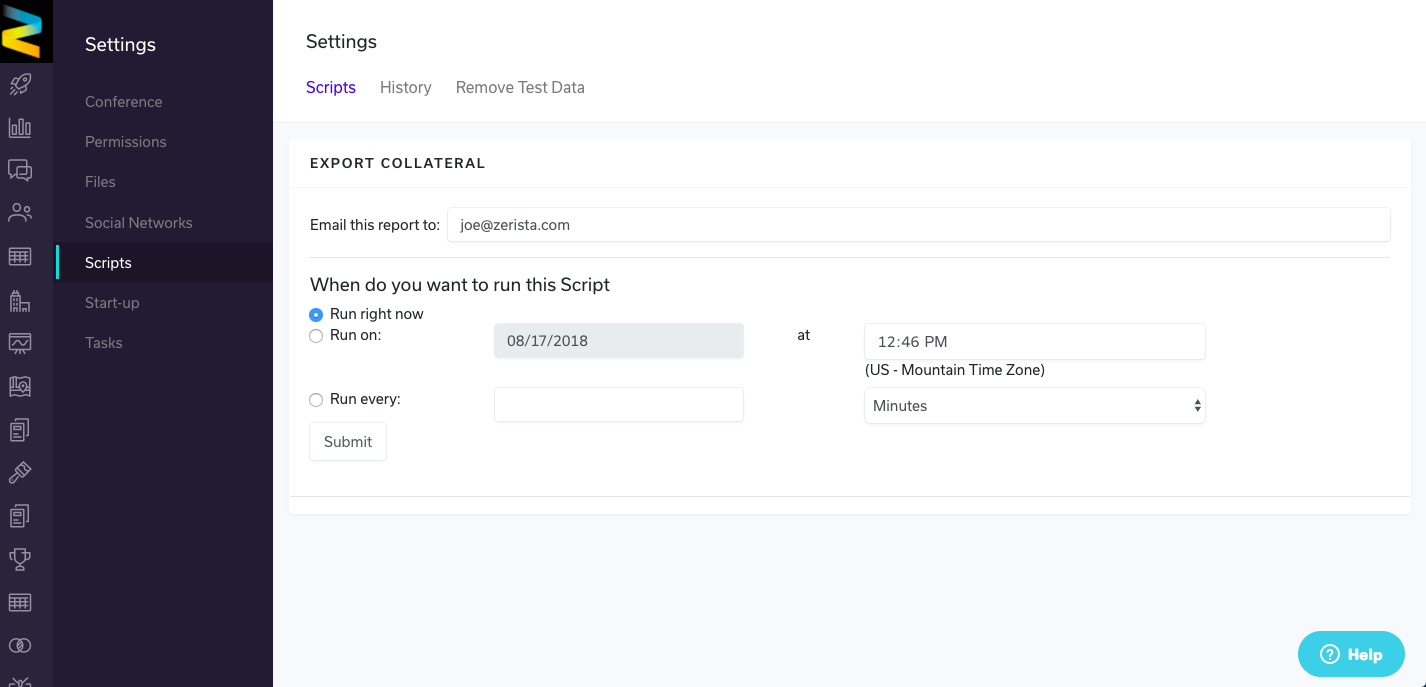
- On the following page, choose when and where you're sending it, and how often it sends. When you're ready, click Submit.
- Once the script runs, you will receive two emails, "Export Collateral - Completed" and "EVENT NAME - Collateral Export".

- You'll have all the collateral listed and can use the accompanying URL to access all the session collateral content from your Zerista application.