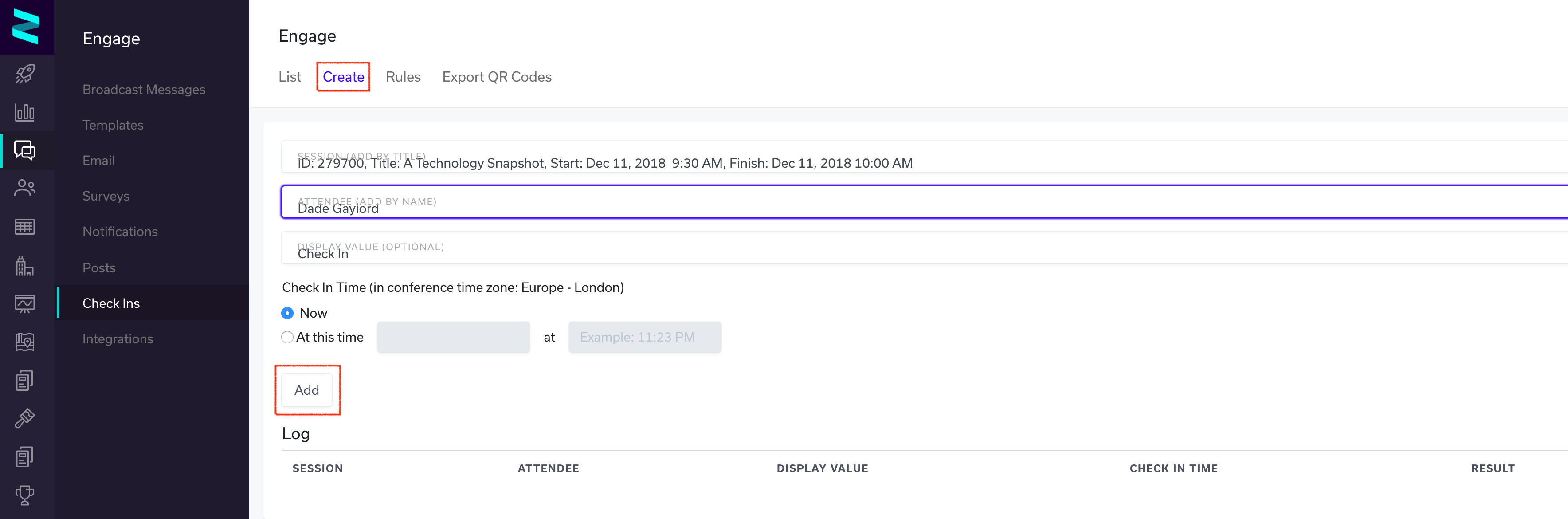
The Check In feature will allow an admin to 'manually' check an attendee in to a session, this is accomplished by creating a check in entry using the Zerista Admin:
- Click Engage
- Click Check Ins
- Click Create (located along the top of this window)
- Add the Session (by typing in the Session title)
- Add the Attendee (by typing in the Attendee name)
You can choose to check the attendee in now OR by inputting a specific date and time
- Click Add
Note: We recommend using an iPad for ease of use and visual functionality.
The functionality above can also be used in the case where an attendee missed a check or the check in scan did not function properly. Before creating any checkins make sure to review the Check Ins> Rules page.