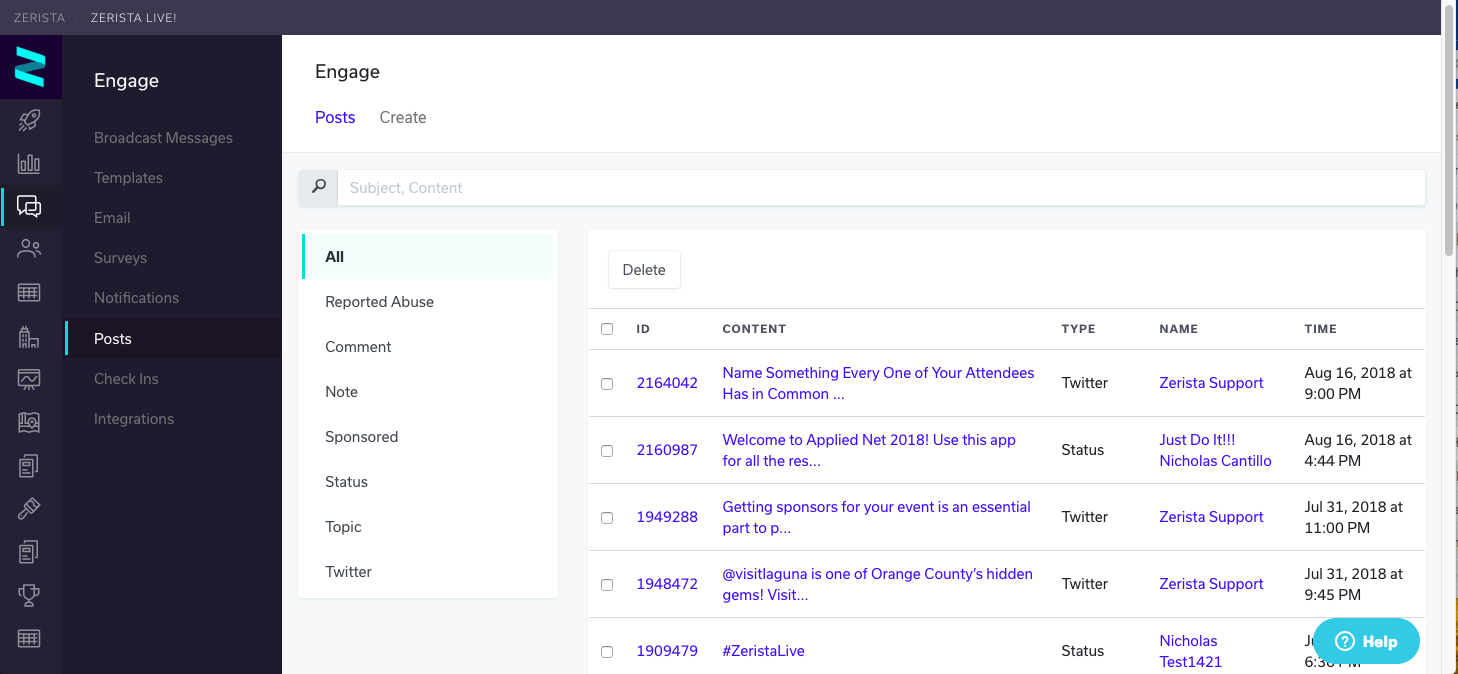
The Posts menu (Admin>Engage>Posts) houses all of the content from the Posts/Social Stream/Chatter from your app and website. This is where you can edit, delete inappropriate, or non-relevant posts. You can view the Name of the individual that made the post, the type of post (Twitter, Status means it was created in the app/website, etc), and the date/time the post was made. You can select the different types of posts in the left-hand pane filter by that type
Reported abuse - posts reported by other users as inappropriate
Comments - comments on status and twitter posts
Note - Zerista leads app notes
Sponsored - Disregard - menu not supported
Status - A general post created in the activity feed
Topic - A type of post created on the desktop's conversation portal (not supported on the app)
Twitter - Any post pulled into the system via a twitter handle or a hashtag